

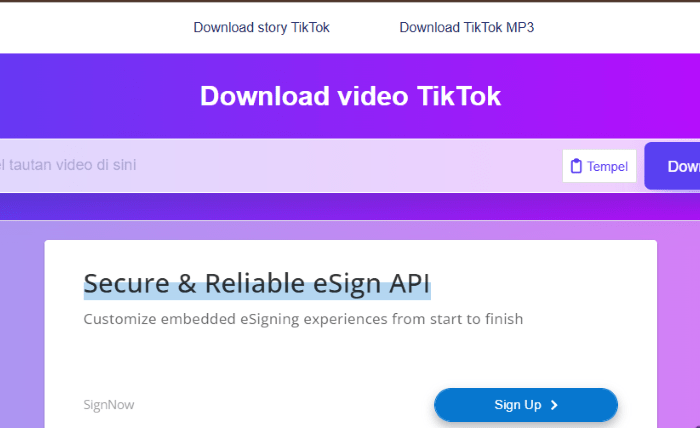
That TikTok video you saved to favorites last week? It might already be gone. Creators delete posts, accounts go private, and content vanishes without warning.
A TikTok downloader solves this by letting you save any public video to your device as an MP4 file. SSSTik is a free web-based tool built for exactly this purpose.
How to download TikTok videos in three steps
No registration. No software installation. SSSTik runs directly in your web browser on any device.
- Open TikTok and copy the video URL to your clipboard
- Paste the video link into SSSTik’s input field
- Tap the download button and save the file
The entire process takes a few seconds. Your video saves in MP4 format with HD resolution when available.
What makes SSSTik different from other download tools
Most online tools compress video quality or inject their own watermark into saved files. SSSTik pulls the original file directly from TikTok’s servers.
| Feature | Typical online tools | SSSTik |
| Output quality | Compressed, lower resolution | HD resolution, original quality |
| Watermark | Often adds tool branding | Provides clean file without watermark |
| Supported formats | MP4 only | MP4 video, MP3 audio, images, GIFs |
| Account required | Frequently yes | No registration needed |
| Download limits | Daily caps common | Unlimited downloads |
| Device support | Desktop focused | Android phone, iPhone, tablet, desktop |
You can also download tiktok stories and live broadcasts, not just standard feed videos.
Saving TikTok content for offline viewing
Short-form video disappears for many reasons. Accounts get suspended or deactivated. Platform moderation removes content without notice. Privacy setting changes hide previously public posts.
Journalists use download tools to preserve breaking news footage before it vanishes. Researchers archive social media content for academic studies. Educators save tutorial videos for classroom use when internet access is limited.
Musicians keep audio clips and performances stored locally. Content creators back up their own videos as a safeguard. Anyone traveling or facing limited data can save videos for offline access.
Beyond video: stories and anonymous browsing
SSSTik handles more than standard video downloads. The stories downloader grabs temporary content before its 24-hour window closes.
The tiktok anonymous viewer lets you watch profiles and videos without logging in. Your visit stays private since SSSTik does not collect user data or store browsing history.
Privacy and safety while you download video
SSSTik is a browser-based tool. Nothing installs on your Android phone, iPhone, or desktop. No personal data collection happens during use.
Each download tiktok video request processes on SSSTik’s servers and delivers the file directly to your device. There are no hidden subscriptions or bundled software.
Supported content types and formats
TikTok hosts several content types: videos, images, voice clips, and stories. SSSTik supports saving each of these.
- MP4 files for video content in high-quality output
- MP3 format for extracting audio from any video
- Image downloads from photo carousel posts
- GIF conversion for short clips
- Live broadcast recordings
The save tiktok process works identically regardless of format. Copy the link, paste it, and pick your preferred file type.
Works on every device you own
SSSTik is an online tool that functions wherever a web browser runs. iOS device, Android phone, Windows laptop, or tablet. No app store visit needed.
Fast processing speed means files arrive quickly even on mobile connections. The unduh video tiktok experience feels identical whether you are on desktop or phone.
Whenever a tiktok watermark-free copy matters to you, SSSTik delivers the original quality file without friction and without cost.